> ## Documentation Index
> Fetch the complete documentation index at: https://code.pipellm.ai/docs/llms.txt
> Use this file to discover all available pages before exploring further.
# CC Switch
# CC Switch
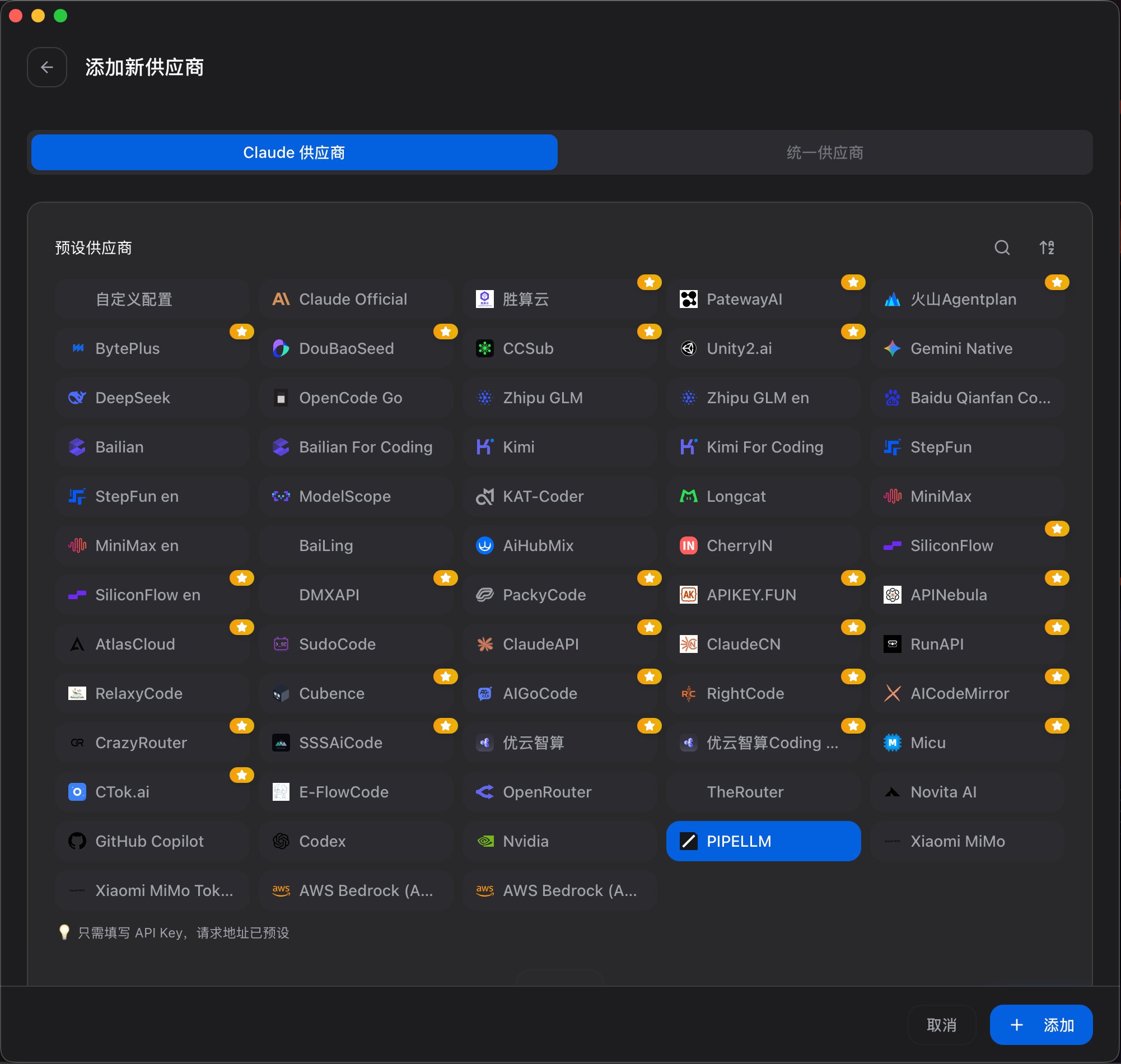
CC Switch 已经内置 PIPELLM Code 平台。我们推荐使用 CC Switch 配置 Claude Code 和 Codex:你不需要手动创建自定义供应商,只需要在预设供应商里选择 **PIPELLM**,填入 PIPELLM Code 的 API Key,即可自动生成所需配置。
API Key 在 [https://code.pipellm.ai](https://code.pipellm.ai) 获取。
## 推荐流程
1. 打开 CC Switch 的「添加新供应商」页面。
2. 在预设供应商中选择 **PIPELLM**。
3. 根据你的工具选择配置方式:
* [Claude Code](/claude-code):使用 Anthropic Messages 格式。
* [Codex](/codex):使用 OpenAI Responses 格式。
 ## 什么时候使用
* 使用 **Claude Code** 时,进入 [Claude Code 配置](/claude-code)。
* 使用 **Codex** 时,进入 [Codex 配置](/codex)。
* 如果你不确定选哪个,优先使用 CC Switch 的内置 PIPELLM 供应商,由它生成对应配置。
不建议新用户手动编辑配置文件。除非你需要排查问题或迁移旧配置,否则直接使用 CC Switch 的内置 PIPELLM 供应商。
## 什么时候使用
* 使用 **Claude Code** 时,进入 [Claude Code 配置](/claude-code)。
* 使用 **Codex** 时,进入 [Codex 配置](/codex)。
* 如果你不确定选哪个,优先使用 CC Switch 的内置 PIPELLM 供应商,由它生成对应配置。
不建议新用户手动编辑配置文件。除非你需要排查问题或迁移旧配置,否则直接使用 CC Switch 的内置 PIPELLM 供应商。